How to build an AI context folder for your company
Every new chat with our AI started with someone explaining Roccai from scratch. So we wrote the company down once, in one shared folder the AI reads before it answers. Here is our structure, the rules that keep it trustworthy, and how to build your own in an afternoon.
Short answer: An AI context folder is a shared folder of plain text files that tells your AI who your company is, which words you use and what is true. The AI reads it before it answers, so you write your company down once instead of explaining it in every chat. Ours has a router file that says what to read for which task, a glossary, and folders for brand, marketing and tech. You can build a first version in an afternoon without writing any code.
Every time someone on our team opened a new chat, they explained Roccai from scratch. Who we are. Who our customers are. What we call things. Every day, for every person. In March we stopped doing that.
We built one shared folder that tells our AI what it needs to know about the company. Now a new chat starts where the last one ended. Here is how it works, and how you can build your own in an afternoon.
What is an AI context folder?
An AI context folder is a shared folder of simple text files that tells your AI who your company is, which words you use and what is true. The AI reads it before it answers. You write your company down once, instead of explaining it in every chat.
You don't need to code to build one. If you can make folders in Google Drive, you can do this.
Why does it matter now?
For the past year, most companies have just played with AI. Everyone in every role built things and tried things out. That was good. But now the frustrations are showing: answers that sound right but use the wrong product names, numbers nobody can trace, and ten people writing the same prompt in ten different ways.
The next step is structure. A context folder is the simplest place to start.
What does our folder look like?
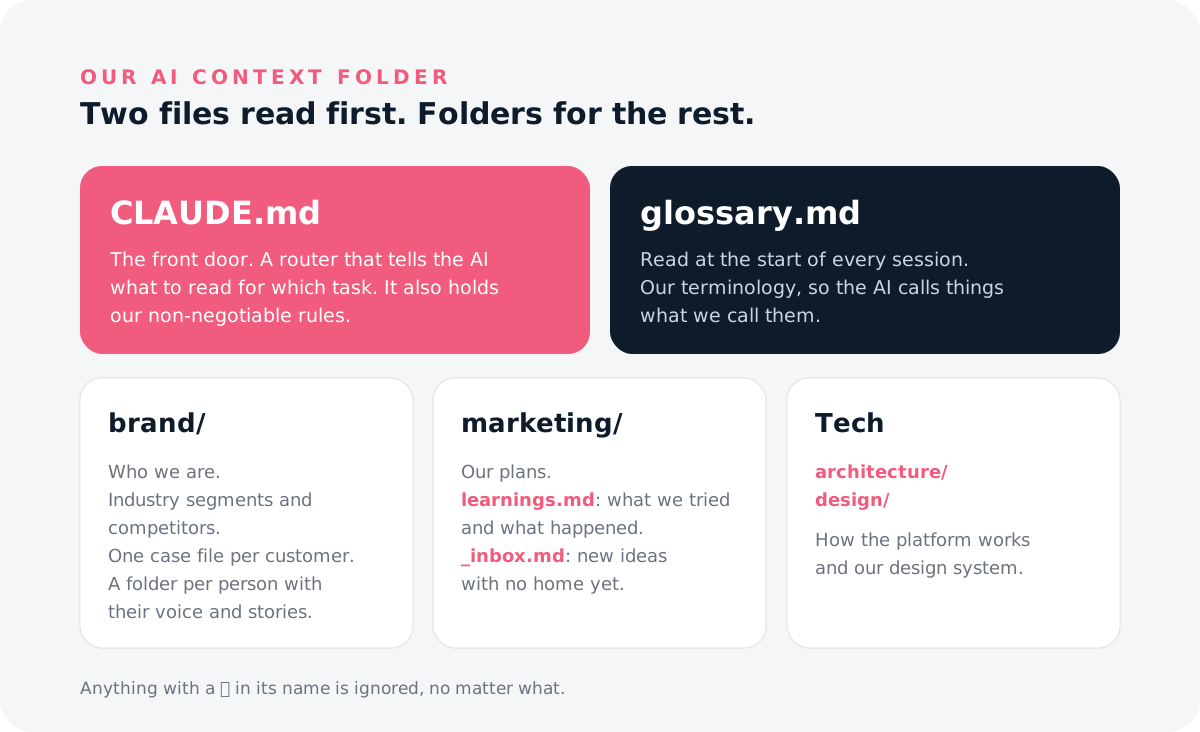
AI Context/
  CLAUDE.md
  glossary.md
  brand/
    customers/
    industry-segments/
    competitors/
  marketing/
  architecture/
  design/
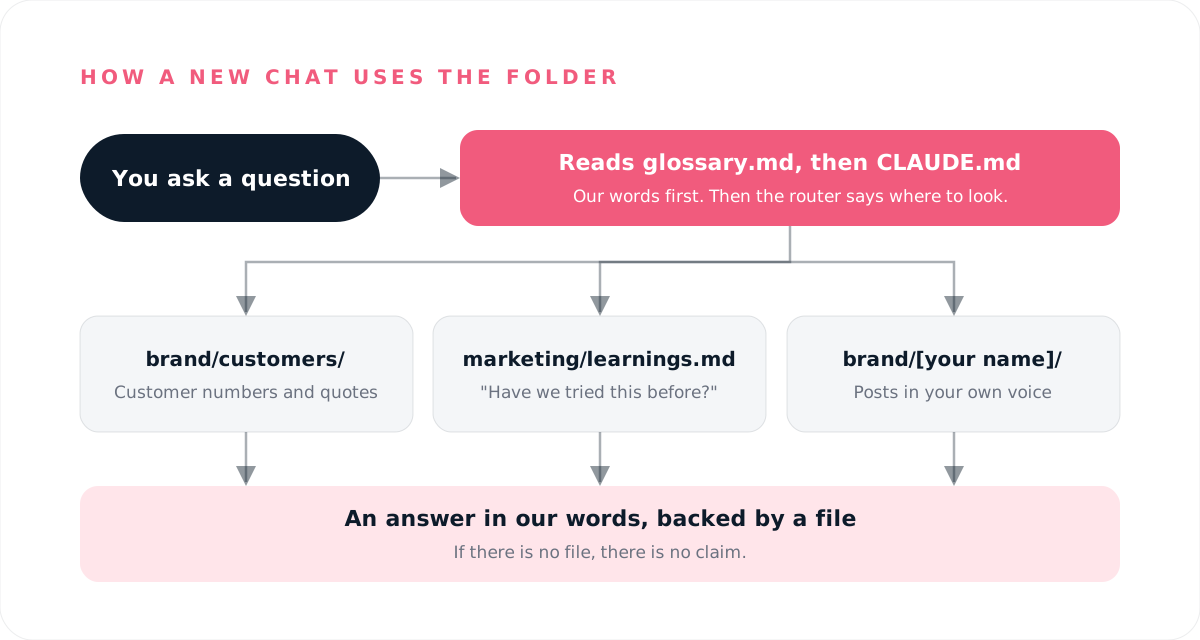
CLAUDE.md is the front door. It is a router: it tells the AI what to read for which task. Brand work? Read the brand folder. Customer numbers? Go to the customer files. It also holds our non-negotiable rules.
glossary.md is read at the start of every session. It holds our terminology, so the AI calls things what we call them.
brand/ holds who we are, our industry segments, competitors, and one case file per customer. Everyone who writes in their own name gets a folder with their voice and the stories they have already told.
marketing/ holds our plans and, most importantly, learnings.md: what we tried and what happened. Before we test something new, the AI can tell us if we already did. \_inbox.md is where a new idea goes when it has no obvious home yet.
architecture/ and design/ hold the tech context: how the platform works and our design system.
How do you get started in one afternoon?
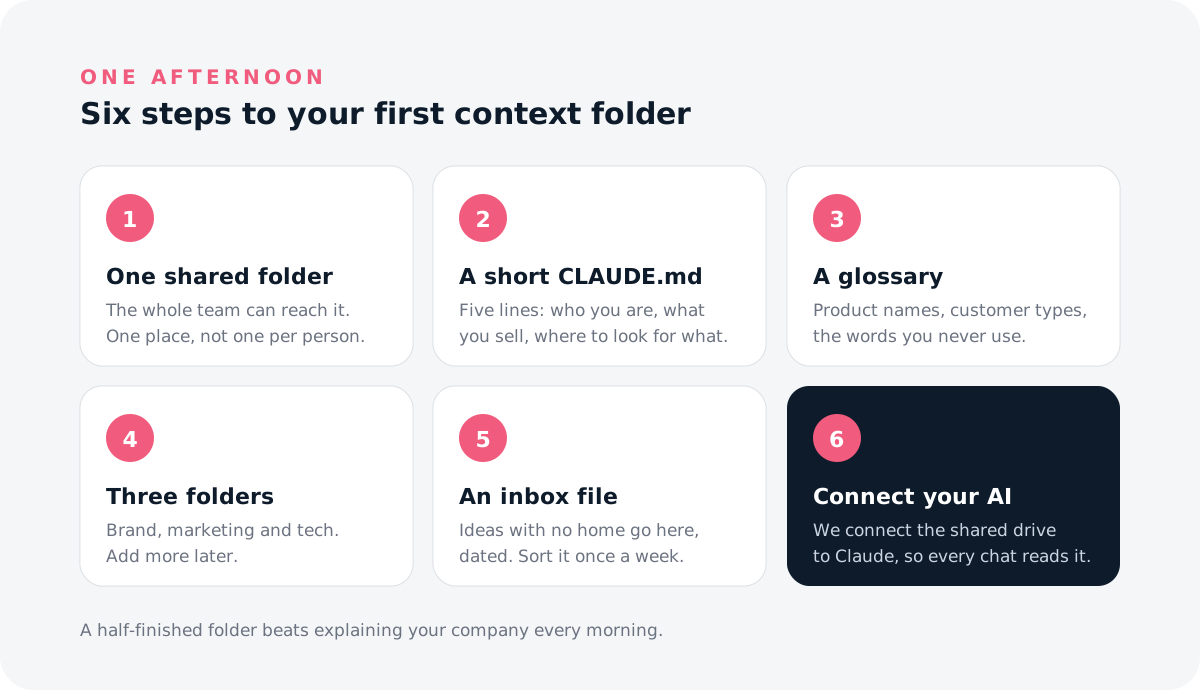
- Make one shared folder the whole team can reach. One place, not one per person.
- Write a short CLAUDE.md (a "read me first" file). Start with five lines: who you are, what you sell, and where to look for what.
- Add a glossary. Your product names, your customer types, the words you never use.
- Create three folders first: brand, marketing and tech. Add more later.
- Add an inbox file. Ideas and results with no home go there, dated. Sort it once a week.
- Connect it to your AI. We connect the shared drive to Claude, so every chat can read it.
Start small. Our folder still has notes that say "not written yet, ignore until finished". That is fine. A half-finished folder beats explaining your company every morning.
Which rules keep it trustworthy?
If there is no file, there is no claim. The AI never states a customer number or quote unless there is a case file behind it.
Edit, don't duplicate. When something new contradicts the folder, we update the existing file and log the change in learnings.md. Two versions of the truth is worse than one old one.
Mark private things clearly. Anything with a 🔒 in the name is ignored, no matter what.
One language for new files. We write ours in English, even when the conversation happened in Danish.
What are we still figuring out?
I won't pretend this is solved. Files go out of date, and the feedback loop is hard. Right now we are testing skill owners: each skill lives in the shared folder, is owned by the person best at that task, and has a feedback file where everyone adds their corrections. Ask me in a few months how it went.
FAQ
Which AI tool do I need for an AI context folder?
Any assistant that can read your shared files. We use Claude with Google Drive connected.
How big should the folder be?
Small to begin with. A router file, a glossary and three folders is enough to feel the difference.
Do I need a developer to build one?
No. It is folders and plain text. The hard part is deciding what is true, not the tech.